Tag Archive | "Sidekick Outage"

More Sidekick Data Recovered
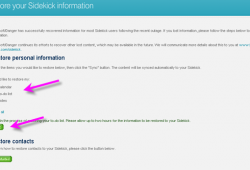

sidekick_recover2

Its been a while since we’ve heard any updated info from T-Mobile regarding the Sidekick Outage. But it looks like T-Mobile has finally managed to recover all data that was lost for Sidekick users. Yesterday T-Mobile announced via their forums that now Sidekick users can proceed to recover calendar, to-do list and notes that were previously lost as part of the Danger/Microsoft service disruption. Follow the easy steps after the break to recover your calendar, to-do list and notes! And don’t forget to let us know if this worked for you in the comments!

T-Mobile

Read the full story

Related Posts:

Posted in Sidekick, T-Mobile Company NewsComments (9)

Sidekick Fallout Q&A


technician cat

Now that there is finally a way to restore those precious contacts you might have lost, you may still have a few questions buzzing around waiting to be answered. Over the next few days, T-Mobile will notify affected customers of this update via SMS advising them to log in to My T-Mobile. Customers who do not have access to a computer can contact Customer Service for help in restoring their contacts. In addition, we received a nice little Q&A that will help answer all the questions you may have floating around your head (related to the Sidekick outage of course). Once again Microsoft and Danger are still are working around the clock to recover all data lost because of the Sidekick Outage. Hit the jump for the Q&A. If you still have any questions that remain, don’t hesitate to post them in the comments!

Read the full story

Related Posts:

Posted in SidekickComments (11)

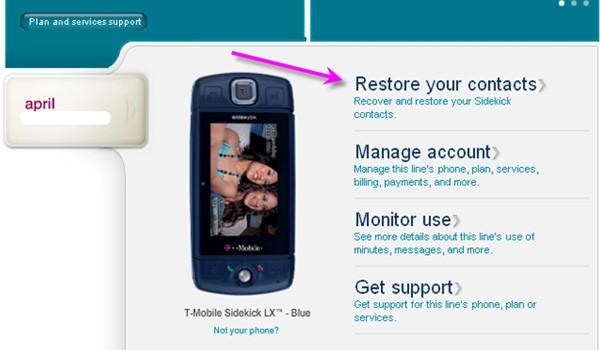
How To Restore Your Lost Contacts


restoration

With Danger/Microsoft’s recent update promising to restore contacts this week, it looks like they are following through on their word. Sidekick users can go to their My T-Mobile webpage to download their contacts and then restore them either to their Sidekick or whatever device they’ve replaced it with. You can have all your contacts in ten easy steps! It’s easy as cake! Hit the break to see the steps! Don’t forget to leave your thoughts/opinions in the comments!

T-Mobile

Read the full story

Related Posts:

Posted in SidekickComments (29)

Sidekick Data Restoration To Take Place This Week


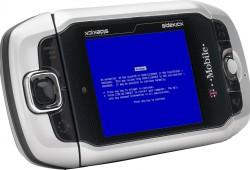
Sidekick3-Blue-Screen

Well here we go again! Another update from Microsft/Danger. Microsoft says they still continue to work around the clock on restoring sidekick users data that was lost and apologize for the inconvenience this has caused. They claim they’re making steady progress and hope to have all personal contacts restored by this week and the remainder of the personal info (photographs, notes, to-do-lists, marketplace data, and highscores) shortly after. Statement from Microsoft/Danger below:

The Danger / Microsoft team is continuing to work around the clock on the data restoration process. We apologize that this is taking so long, but we want to make sure we are doing everything possible to maintain the integrity of your data. We continue to make steady progress, and we hope to be able to begin restoring personal contacts for affected users this week, with the remainder of the content (photographs, notes, to-do-lists, marketplace data, and high scores) shortly thereafter.

This data restoration effort is only necessary for customers who lost data from their Sidekick devices. We appreciate your ongoing patience.

I guess if this all gets sorted out, T-Mobile won’t be handing out those $100 gift cards. Don’t forget to leave your thoughts/opinions in the comments!

T-Mobile

Related Posts:

Posted in SidekickComments (10)

Sidekick Data Syncing Back Online


important

At this point the Sidekick data outage needs no introduction. T-Mobile USA now reports that Sidekick data syncing is back online but it is still “unstable”. Users should back up (use tutorial here) any data and restrain from performing a hard reset. Simply power-cycling your device (Menu ->Power Off, letting your Sidekick turn off on its own and then powering it back up. DO NOT do a hard reset as your data will be lost) will enable your data to start syncing with the Danger/Microsoft Servers.

T-Mobile reports:

Microsoft/Danger have now made the necessary fixes to their network to restore the ability to sync your data. This means that your contacts, calendar entries, to-do lists, tasks, etc. will now sync on the network, just like they did prior to this data disruption. However, you must power cycle your device following the steps below in order to begin the syncing process.

Well there you have it! Don’t forget to leave your thoughts in the comments!

T-Mobile

Related Posts:

Posted in SidekickComments (16)

Sidekick Outage ‘09: A Resolution


sidekick2009-300x225

While we have been following the recent Sidekick data outage rather closely, there seems to still be some loose ends.  Well, with this, T-Mobile hopes to knot everything up and bring everything back into a circle.  In addition to a free month of service, Sidekick customers will also be receiving a $100 gift card.  They are also saying that some more data may be salvaged (but I wouldn’t be holding out for that).  Can we just forget about this now and look to the future (YAY! Project Dark!).  Full statement after the break.  Leave your thoughts in the comments!

Engadget

Read the full story

Related Posts:

Posted in UncategorizedComments (42)

T-Mobile Must Love Danger/Microsoft Right About Now


sidekick2009-300x225

T-Mobile announcing the Danger/Microsoft server failure which resulted in many users losing their personal info (maybe forever), has left Sidekick users frustrated with T-Mobile. Even with the free month of data service, subscribers are still unhappy. The guys over at Gizmodo have received a tip that T-Mobile has offered the customer discounts on other smartphones (G1, BlackBerry, MyTouch), and has also released the customer from their contract. T-Mobile has already stated they have an additional incentive in store for Sidekick users that lost their personal info, which T-Mobile USA spokesperson Cara Walker noted that was only a minority. In addition, T-Mobile has halted all Sidekick sales on their website and some retail stores as well. T-Mobile was planning a follow-up check today for any issues that still remain with the Sidekick data, so stay tuned! Feel free to leave your thoughts/opinions in the comments below!

Gizmodo

UPDATE: T-Mobile claims that all data service has been restored but some data is forever lost. All customers will get a free month of service, and some will be offered “additional” compensation to “reinforce how valuable they are as a T-Mobile customer.”

Here is the official statement:

Virtually all data services have been restored. Also, T-Mobile voice and text services were not impacted.A subset of Sidekick customers appear to have lost data. We do not have an exact number, but we believe it is a minority of customers. We recognize the magnitude of this inconvenience. Our primary efforts have been focused on restoring our customers’ personal content.Sidekick sales are temporarily on hold as Microsoft/Danger continues to work on maintaining platform stability. At this point, virtually all data services are operational.All impacted Sidekick users will receive credit for one month of Sidekick data service. We recognize the magnitude of this inconvenience. Our primary efforts have been focused on restoring our customers’ personal content. We also are considering additional measures for those who have lost your content to help reinforce how valuable you are as a T-Mobile customer.

Related Posts:

Posted in SidekickComments (17)

How To Backup Your Sidekick’s Personal Info


infopage-header

With the recent Sidekick data disruption update, T-Mobile claimed that some Sidekick users have lost their personal info forever (though they are still working on restoring it) because of the server failure. The guys over at Hiptop3 have put together a nice way to back up all your info, so even if this does ever happen again (hopefully, not), you won’t be one of the angry individuals. Also, if you haven’t lost your info already, make sure to back it up NOW just to stay on the safe side.

Address Book Contacts

1. Open your Address Book.
2. Highlight the first entry
3. Hit Menu + M
4. It will bring up an email with a .vcf attached.
5. Type an email you have access to on another computer.
6. Copy that email address so you won’t have to type it every time.
7. Hit Menu + M to send.
8. Scroll to the next Entry
9. Menu + M (To open email with contact attached)
10. Menu + V (to paste email address in To: field)
11. Menu + M (To send email)
12. Repeat steps 8-12 until done.

The same method can be repeated for Notes as well. Well there you have it! Start backing up those Sidekicks!

Hiptop3

UPDATE: Another way I think would be less time consuming for backing up your contacts, is to save them to your SIM card.

Related Posts:

Posted in SidekickComments (6)

Another Sidekick Service Disruption Update


sidekick2009-300x225

It has been over a week now since the Sidekick data disruption had plagued us. For those of you wondering what the cause of the Sidekick data outage was, T-Mobile has revealed to the public the problem behind it all. T-Mobile and Danger, a subsidiary of Microsoft, are once again apologizing for the inconvenience the data disruption has caused Sidekick owners. The cause of this data outage, T-Mobile claims, is a service failure on Microsoft/Danger’s end. And as a result of this server failure, personal information stored on Sidekick devices such as: contacts, calendar entries, to-do lists or photos that no longer appear to show up on your Sidekick device, have been most likely lost. Microsoft/Danger continues to work, trying to find a way to restore the information, although it is VERY unlikely. T-Mobile again apologizes, and for those individuals who have lost personal information, T-Mobile is looking for other incentives to show how valuable you are to T-Mobile. In addition to this, T-Mobile plans to check the status of the remaining issues on Monday (Oct. 12). Once again please DO NOT remove your battery, reset your Sidekick, or allow it to lose power, as any personal content that currently resides on your device will be lost. Feel free to express your thoughts in the comments!

T-Mobile

Related Posts:

Posted in SidekickComments (34)

Important Info For Sidekick Users


important

This service interruption that has plagued all Sidekick users nationwide doesn’t seem like an ordinary outage. Many of you Sidekick users (including myself) have been very frustrated with the Sidekick data outage that has been going on since last Friday and T-Mobile has assured us all that they are working with Microsoft and Danger on the issue as quickly as possible and apologize for the problems it has caused (and the families they’ve broken apart).  T-Mobile-supported services, such as voice calls and SMS/MMS, are not affected and continue to work flawlessly. In the meantime, T-Mobile today announced that ALL Sidekick users subscribed to a Sidekick plan will automatically receive a credit for 1 month data service ($35) in the coming days. Also, Sidekick customers should NOT remove the battery, reset their Sidekick or allow the battery to run out (yes that means keep it charged) during this service interruption. Feel free to express your opinions/thoughts in the comments!

NOTE: If you do need your contacts just go to www.my.t-mobile.com and login, then select desktop tools and you will have all your contacts on there.

T-Mobile

Related Posts:

Posted in SidekickComments (42)

BBerryDog
DroidDog
TodaysiPhone


Marquee Content Powered By eTDS TechnoSys. Visit our Forums.
PHVsPjxsaT48c3Ryb25nPndvb19hZHNfcm90YXRlPC9zdHJvbmc+IC0gdHJ1ZTwvbGk+PGxpPjxzdHJvbmc+d29vX2FkX2ltYWdlXzE8L3N0cm9uZz4gLSBodHRwOi8vd3d3Lndvb3RoZW1lcy5jb20vYWRzLzEyNXgxMjVhLmpwZzwvbGk+PGxpPjxzdHJvbmc+d29vX2FkX2ltYWdlXzI8L3N0cm9uZz4gLSBodHRwOi8vd3d3Lndvb3RoZW1lcy5jb20vYWRzLzEyNXgxMjViLmpwZzwvbGk+PGxpPjxzdHJvbmc+d29vX2FkX2ltYWdlXzM8L3N0cm9uZz4gLSBodHRwOi8vd3d3Lndvb3RoZW1lcy5jb20vYWRzLzEyNXgxMjVjLmpwZzwvbGk+PGxpPjxzdHJvbmc+d29vX2FkX2ltYWdlXzQ8L3N0cm9uZz4gLSBodHRwOi8vd3d3Lndvb3RoZW1lcy5jb20vYWRzLzEyNXgxMjVkLmpwZzwvbGk+PGxpPjxzdHJvbmc+d29vX2FkX21wdV9hZHNlbnNlPC9zdHJvbmc+IC0gPHNjcmlwdCB0eXBlPSJ0ZXh0L2phdmFzY3JpcHQiPiANCiAgR0FfZ29vZ2xlRmlsbFNsb3QoIlRNT19NUFUiKTsNCjwvc2NyaXB0PiA8L2xpPjxsaT48c3Ryb25nPndvb19hZF9tcHVfZGlzYWJsZTwvc3Ryb25nPiAtIGZhbHNlPC9saT48bGk+PHN0cm9uZz53b29fYWRfbXB1X2ltYWdlPC9zdHJvbmc+IC0gaHR0cDovL3d3dy53b290aGVtZXMuY29tL2Fkcy8zMDB4MjUwYS5qcGc8L2xpPjxsaT48c3Ryb25nPndvb19hZF9tcHVfdXJsPC9zdHJvbmc+IC0gaHR0cDovL3d3dy53b290aGVtZXMuY29tPC9saT48bGk+PHN0cm9uZz53b29fYWRfdG9wX2Fkc2Vuc2U8L3N0cm9uZz4gLSA8c2NyaXB0IHR5cGU9InRleHQvamF2YXNjcmlwdCI+IA0KICBHQV9nb29nbGVGaWxsU2xvdCgiVE1PX0xlYWRlcmJvYXJkIik7DQo8L3NjcmlwdD4gPC9saT48bGk+PHN0cm9uZz53b29fYWRfdG9wX2Rpc2FibGU8L3N0cm9uZz4gLSBmYWxzZTwvbGk+PGxpPjxzdHJvbmc+d29vX2FkX3RvcF9pbWFnZTwvc3Ryb25nPiAtIGh0dHA6Ly93d3cud29vdGhlbWVzLmNvbS9hZHMvNDY4eDYwYS5qcGc8L2xpPjxsaT48c3Ryb25nPndvb19hZF90b3BfdXJsPC9zdHJvbmc+IC0gaHR0cDovL3d3dy53b290aGVtZXMuY29tPC9saT48bGk+PHN0cm9uZz53b29fYWRfdXJsXzE8L3N0cm9uZz4gLSBodHRwOi8vd3d3Lndvb3RoZW1lcy5jb208L2xpPjxsaT48c3Ryb25nPndvb19hZF91cmxfMjwvc3Ryb25nPiAtIGh0dHA6Ly93d3cud29vdGhlbWVzLmNvbTwvbGk+PGxpPjxzdHJvbmc+d29vX2FkX3VybF8zPC9zdHJvbmc+IC0gaHR0cDovL3d3dy53b290aGVtZXMuY29tPC9saT48bGk+PHN0cm9uZz53b29fYWRfdXJsXzQ8L3N0cm9uZz4gLSBodHRwOi8vd3d3Lndvb3RoZW1lcy5jb208L2xpPjxsaT48c3Ryb25nPndvb19hbHRfc3R5bGVzaGVldDwvc3Ryb25nPiAtIGxpZ2h0Ymx1ZS5jc3M8L2xpPjxsaT48c3Ryb25nPndvb19hdXRob3I8L3N0cm9uZz4gLSB0cnVlPC9saT48bGk+PHN0cm9uZz53b29fYXV0b19pbWc8L3N0cm9uZz4gLSBmYWxzZTwvbGk+PGxpPjxzdHJvbmc+d29vX2N1c3RvbV9jc3M8L3N0cm9uZz4gLSA8L2xpPjxsaT48c3Ryb25nPndvb19jdXN0b21fZmF2aWNvbjwvc3Ryb25nPiAtIDwvbGk+PGxpPjxzdHJvbmc+d29vX2ZlYXR1cmVkX2NhdGVnb3J5PC9zdHJvbmc+IC0gRmVhdHVyZWQ8L2xpPjxsaT48c3Ryb25nPndvb19mZWF0X2VudHJpZXM8L3N0cm9uZz4gLSAxPC9saT48bGk+PHN0cm9uZz53b29fZmVlZGJ1cm5lcl9pZDwvc3Ryb25nPiAtIDwvbGk+PGxpPjxzdHJvbmc+d29vX2ZlZWRidXJuZXJfdXJsPC9zdHJvbmc+IC0gPC9saT48bGk+PHN0cm9uZz53b29fZ29vZ2xlX2FuYWx5dGljczwvc3Ryb25nPiAtIDxzY3JpcHQgdHlwZT0idGV4dC9qYXZhc2NyaXB0Ij4NCnZhciBnYUpzSG9zdCA9ICgoImh0dHBzOiIgPT0gZG9jdW1lbnQubG9jYXRpb24ucHJvdG9jb2wpID8gImh0dHBzOi8vc3NsLiIgOiAiaHR0cDovL3d3dy4iKTsNCmRvY3VtZW50LndyaXRlKHVuZXNjYXBlKCIlM0NzY3JpcHQgc3JjPSciICsgZ2FKc0hvc3QgKyAiZ29vZ2xlLWFuYWx5dGljcy5jb20vZ2EuanMnIHR5cGU9J3RleHQvamF2YXNjcmlwdCclM0UlM0Mvc2NyaXB0JTNFIikpOw0KPC9zY3JpcHQ+DQo8c2NyaXB0IHR5cGU9InRleHQvamF2YXNjcmlwdCI+DQp0cnkgew0KdmFyIHBhZ2VUcmFja2VyID0gX2dhdC5fZ2V0VHJhY2tlcigiVUEtNzgwNDU1Mi0xIik7DQpwYWdlVHJhY2tlci5fdHJhY2tQYWdldmlldygpOw0KfSBjYXRjaChlcnIpIHt9PC9zY3JpcHQ+PC9saT48bGk+PHN0cm9uZz53b29faG9tZTwvc3Ryb25nPiAtIHRydWU8L2xpPjxsaT48c3Ryb25nPndvb19ob21lX3RodW1iX2hlaWdodDwvc3Ryb25nPiAtIDU3PC9saT48bGk+PHN0cm9uZz53b29faG9tZV90aHVtYl93aWR0aDwvc3Ryb25nPiAtIDEwMDwvbGk+PGxpPjxzdHJvbmc+d29vX2ltYWdlX3NpbmdsZTwvc3Ryb25nPiAtIGZhbHNlPC9saT48bGk+PHN0cm9uZz53b29fbG9nbzwvc3Ryb25nPiAtIGh0dHA6Ly9zdGFnZS50bW9uZXdzLmNvbS93cC1jb250ZW50L3dvb191cGxvYWRzLzctVG1vbG9nb3NtYWxsLmpwZzwvbGk+PGxpPjxzdHJvbmc+d29vX21hbnVhbDwvc3Ryb25nPiAtIGh0dHA6Ly93d3cud29vdGhlbWVzLmNvbS9zdXBwb3J0L3RoZW1lLWRvY3VtZW50YXRpb24vZ2F6ZXR0ZS1lZGl0aW9uLzwvbGk+PGxpPjxzdHJvbmc+d29vX3Jlc2l6ZTwvc3Ryb25nPiAtIHRydWU8L2xpPjxsaT48c3Ryb25nPndvb19zaG9ydG5hbWU8L3N0cm9uZz4gLSB3b288L2xpPjxsaT48c3Ryb25nPndvb19zaG93X2Nhcm91c2VsPC9zdHJvbmc+IC0gZmFsc2U8L2xpPjxsaT48c3Ryb25nPndvb19zaG93X3ZpZGVvPC9zdHJvbmc+IC0gZmFsc2U8L2xpPjxsaT48c3Ryb25nPndvb19zaW5nbGVfaGVpZ2h0PC9zdHJvbmc+IC0gMTgwPC9saT48bGk+PHN0cm9uZz53b29fc2luZ2xlX3dpZHRoPC9zdHJvbmc+IC0gMjUwPC9saT48bGk+PHN0cm9uZz53b29fdGFiczwvc3Ryb25nPiAtIGZhbHNlPC9saT48bGk+PHN0cm9uZz53b29fdGhlbWVuYW1lPC9zdHJvbmc+IC0gR2F6ZXR0ZTwvbGk+PGxpPjxzdHJvbmc+d29vX3VwbG9hZHM8L3N0cm9uZz4gLSBhOjM6e2k6MDtzOjY2OiJodHRwOi8vc3RhZ2UudG1vbmV3cy5jb20vd3AtY29udGVudC93b29fdXBsb2Fkcy83LVRtb2xvZ29zbWFsbC5qcGciO2k6MTtzOjY0OiJodHRwOi8vd3d3LnRtb25ld3MuY29tL3dwLWNvbnRlbnQvd29vX3VwbG9hZHMvNi1UbW9sb2dvc21hbGwuanBnIjtpOjI7czo2NjoiaHR0cDovL3N0YWdlLnRtb25ld3MuY29tL3dwLWNvbnRlbnQvd29vX3VwbG9hZHMvNS1UbW9sb2dvc21hbGwuanBnIjt9PC9saT48bGk+PHN0cm9uZz53b29fdmlkZW9fY2F0ZWdvcnk8L3N0cm9uZz4gLSBTZWxlY3QgYSBjYXRlZ29yeTo8L2xpPjwvdWw+